
Credit Control Just Got Smarter: Key Updates to Boost Your Workflow

We’ve rolled out several updates designed to make your billing, reporting, and communication smoother than ever. Here’s what’s new in Credit Control and Accounting this month:

📧 Send Emails with CC — Right from MHub

You can now send all advance letters via email with the option to include CC recipients. whether its keeping your purchasers updated and solicitors in the loop, this small upgrade saves you extra steps.

🧾 Classification Code Moved to Transaction Type

To ensure seamless e-Invoice integration and LHDN compliance, we’ve shifted the Classification Code to the Transaction Type level. This improves data accuracy and future-proofs your compliance process.
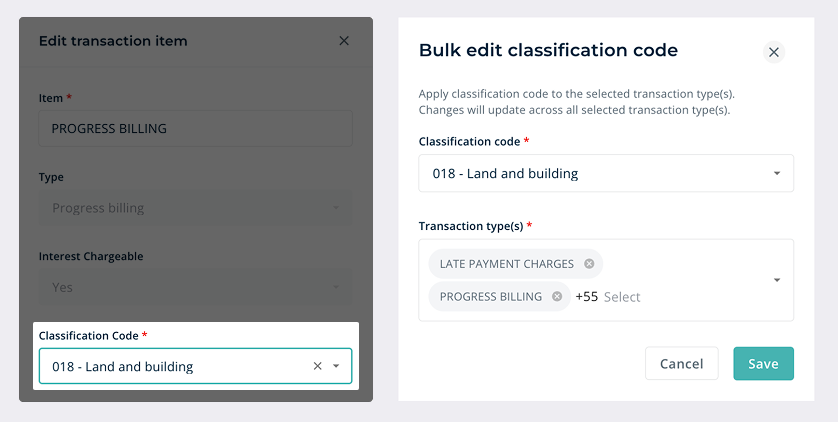
Edit Classification Code from Transaction Type settings — with bulk edit support

🔒 Auto-Generated Debtor Codes (for MHub Accounting Users)

For users connected to MHub Accounting, the Debtor Code field is now automated. This enhancement improves system stability and ensures smoother financial integration — so you can focus on your numbers, not your codes.
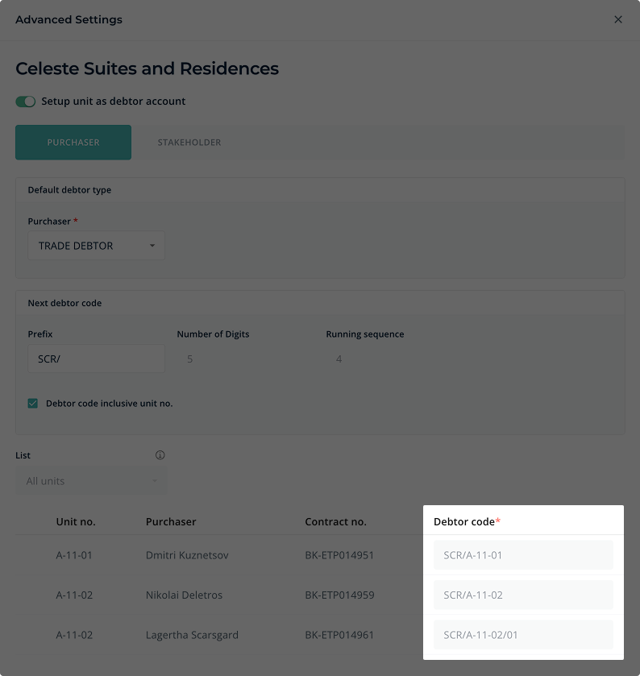
Debtor Code field is now disabled.

🔢 Smarter Booking Number Defaults

The Booking Number field in the Billing & Collections module will now automatically default to active bookings, with clearer labels for terminated ones. Fewer clicks, less confusion, faster billing.
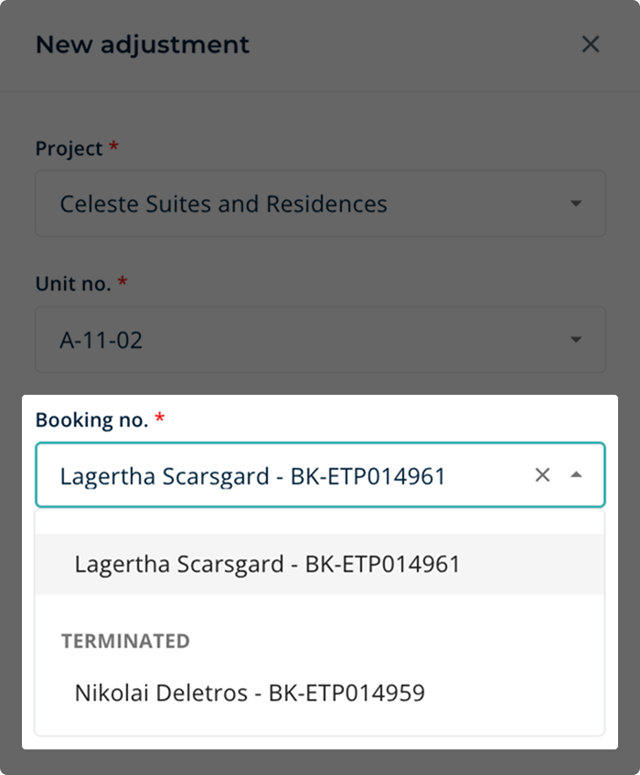
Booking No. will now automatically default to the current active booking.

📊 Faster & Clearer Progress Billing Reports

We’ve refined the Progress Billing by Stages report for better speed, layout, and visibility. Tracking your billing progress is now cleaner and easier on the eyes.
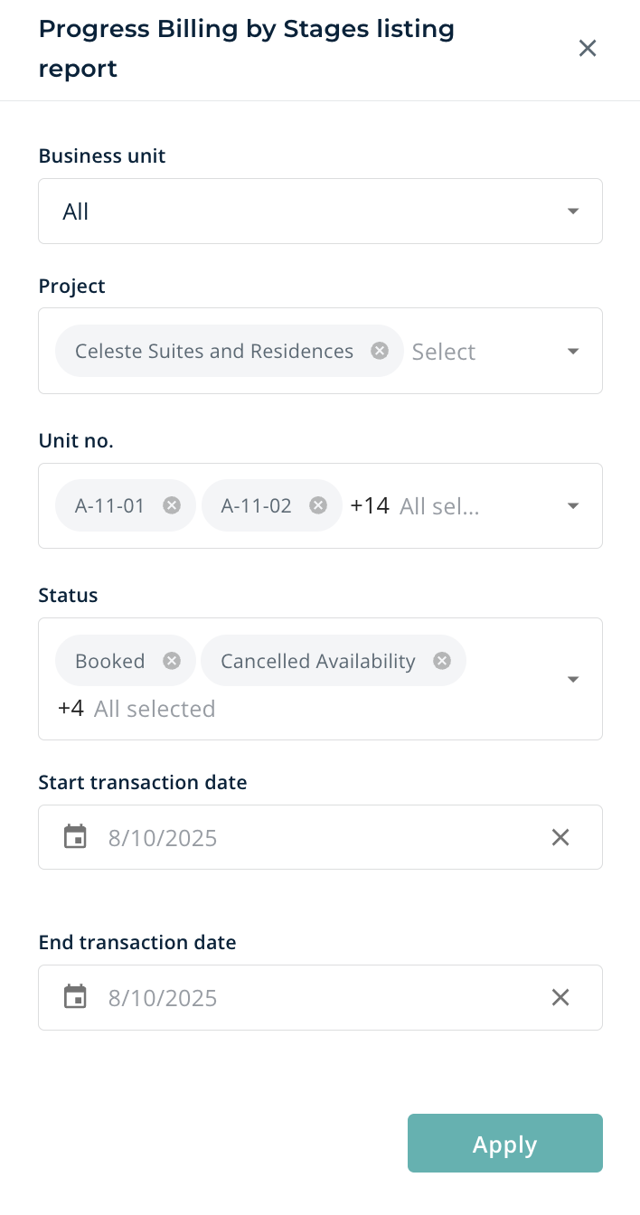
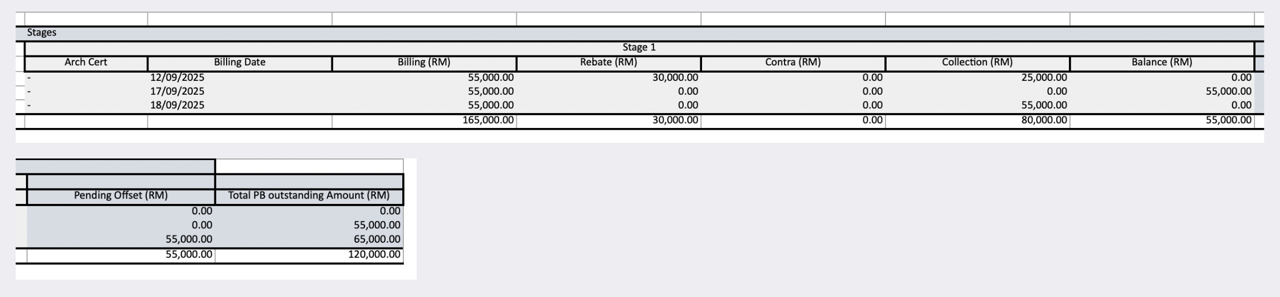
Screenshot of sample Progress billing by stages report

🏗️ New: Architect Certificate Report

Need to check which construction stage each unit has reached? The new Architect Cert Report helps you do that in just a few clicks — perfect for teams that want instant clarity on project progress.
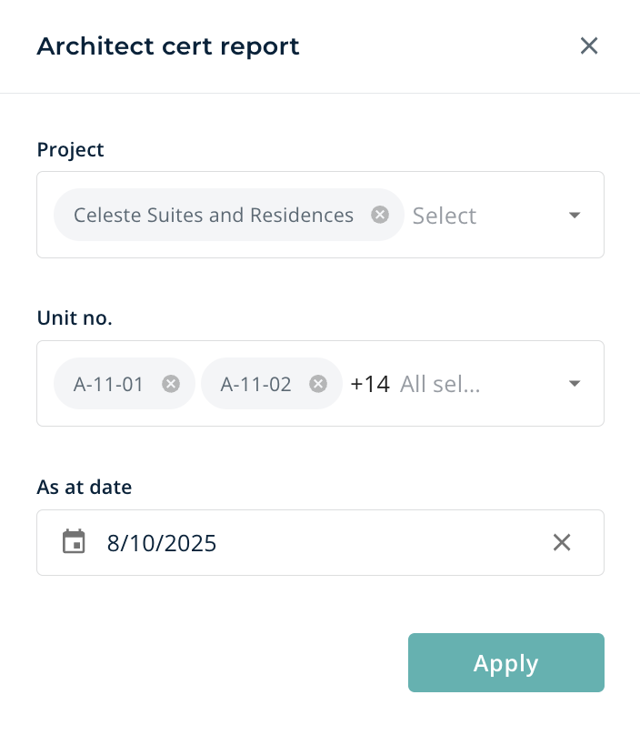
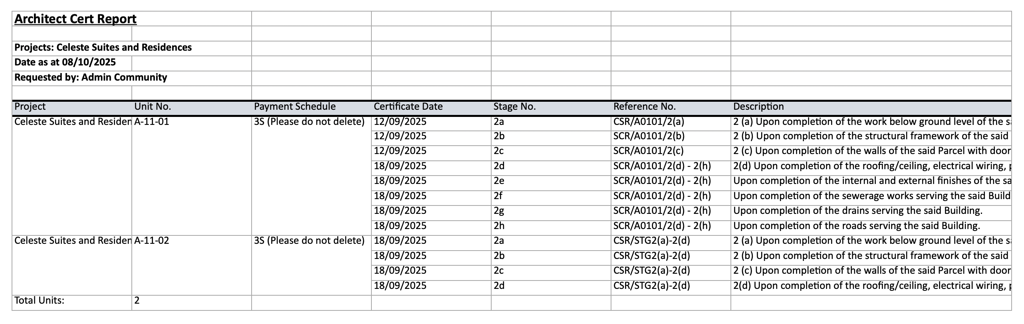
Screenshot of sample Architect Cert Report

🗂️ New: Correspondence Info Report

Stay on top of your project details with the new Correspondence Info Report. It shows key unit information at a glance including loan details, important dates, and redemption amounts — all in one place.


Screenshot of sample Correspondence Info Report

🎉 Fresh UI Update

The Showroom interface just got a lot friendlier with small but powerful upgrades that make everyday tasks smoother and more visual.
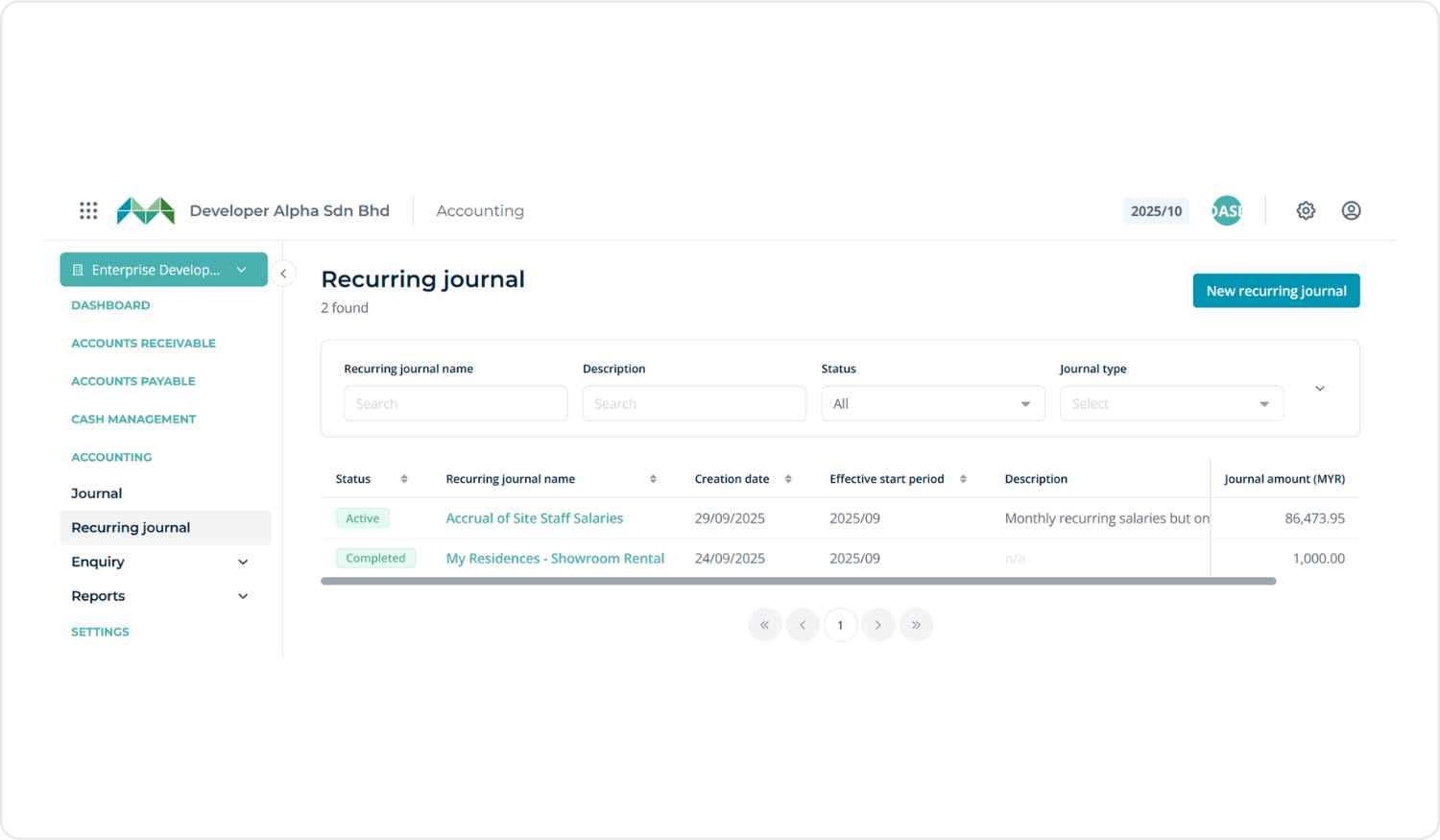
asdfasfsfasfsdf

  • Pin your favourite projects: You can now pin up to 6 projects to the top of your Project Page for quick access.
  • Easier booking navigation: The Booking List now highlights the transaction row you’re browsing — making it easier to track your current selection.
  • New Customer List View: View all customers in a clean list format for easier browsing and management.
  • Auto-close date selector: The calendar pop-up will now auto-close once a date is selected.
  • New Property Category: Added “Service Apartment” to the property type dropdown.
  • Loan Margin sorting: Loan Margin % in the Sold pop-up is now arranged from high to low for quicker reference.

👍 Functional Improvements

Several quality-of-life improvements are now live to make bookings, validation, and buyer details handling even smoother.

  • Credit Check: The page and function have been moved to CRM (hidden from Showroom).
  • Generic TIN Support: Now allowed for individual buyers using passport or military ID.
  • Foreign Company Checkbox: Added during booking — this lets the Generic TIN autofill automatically for validation.
  • Custom Field Format Validation: You can now set custom input fields with validation to ensure data is keyed in according to your preferred format.
  • Approved Date Selection: You can now choose the Approved Date when changing a status to Booked.
  • SPA Signing & Stamping Dates: Editing is now enabled in Edit Booking.

📈 Report & Activity Log Enhancements

We’ve expanded activity tracking and reporting to give HQ users and project teams deeper visibility into system usage and booking actions.

  • Added Users and Business Unit tabs to Activity Logs (Homepage) for HQ role.
  • Added Activity Logs for Business Unit page.
  • Added “Booking Cancellation Reason” to Booking Report.
  • Added Created At, Last Login At, and Last Updated columns in Users (Excel/CSV export).
  • Added Search Filter to Activity Logs.
  • Improved User Activity Logs to include all actions with proper naming conventions for better tracking.

⭐ New Advanced Print Form Templater

We’ve upgraded the Print Form Template system to give you more flexibility and accuracy in document generation.

  • Updated the Merge-tag Dictionary & How-To Guide to include all new additions.
  • Added Compare Latest Date function.
  • Added merge-tags related to Banker and Lawyer fields.
  • Updated file naming format for template downloads:

<booking_code> - <template_name>.pdf

  • Cleaned up custom field merge-tags containing unsupported symbols.

🔗 Showroom ↔ Credit Control Integration

We’ve enhanced how Showroom connects with Credit Control to ensure data consistency between booking and financial stages.

  • Added SPA Signing Date&Stamping Date during status change to Sold.
  • Prevented purchaser changes once a unit is marked as Sold.
  • Disabled pricing-related edits when a unit is already Sold.

🧑Performance

  • Improved loading speed in the Aging by Banker report for a smoother reporting experience.

🐞 Bug Fixes

A long list of small but meaningful fixes to keep things running smoothly:

  • Basic Siteplan’ user role can no longer select unavailable units.
  • Booking Activity Logs now show date comparisons correctly (old vs new).
  • Fixed issue where customers with NRIC were incorrectly created under ID Number type.
  • Disable Base Selling Price’ toggle now works properly.
  • Unit Import now shows correct notifications when incorrect files are uploaded.
  • Hide Price’ option in Storey Plan now functions as expected.
  • Scheduled Pricing Package now respects your timezone settings.
  • Free Item can now be added to SubTotal under Pricing Package without error.
  • SPA Value is now calculated correctly based on the original Unit Price, even if the Pricing Package was later edited.

WhatsApp