.png)
MHub Accounting: Major Updates for Better Accuracy and Efficiency
Info
📑 Recurring Journal – New Screens, Automation & Control
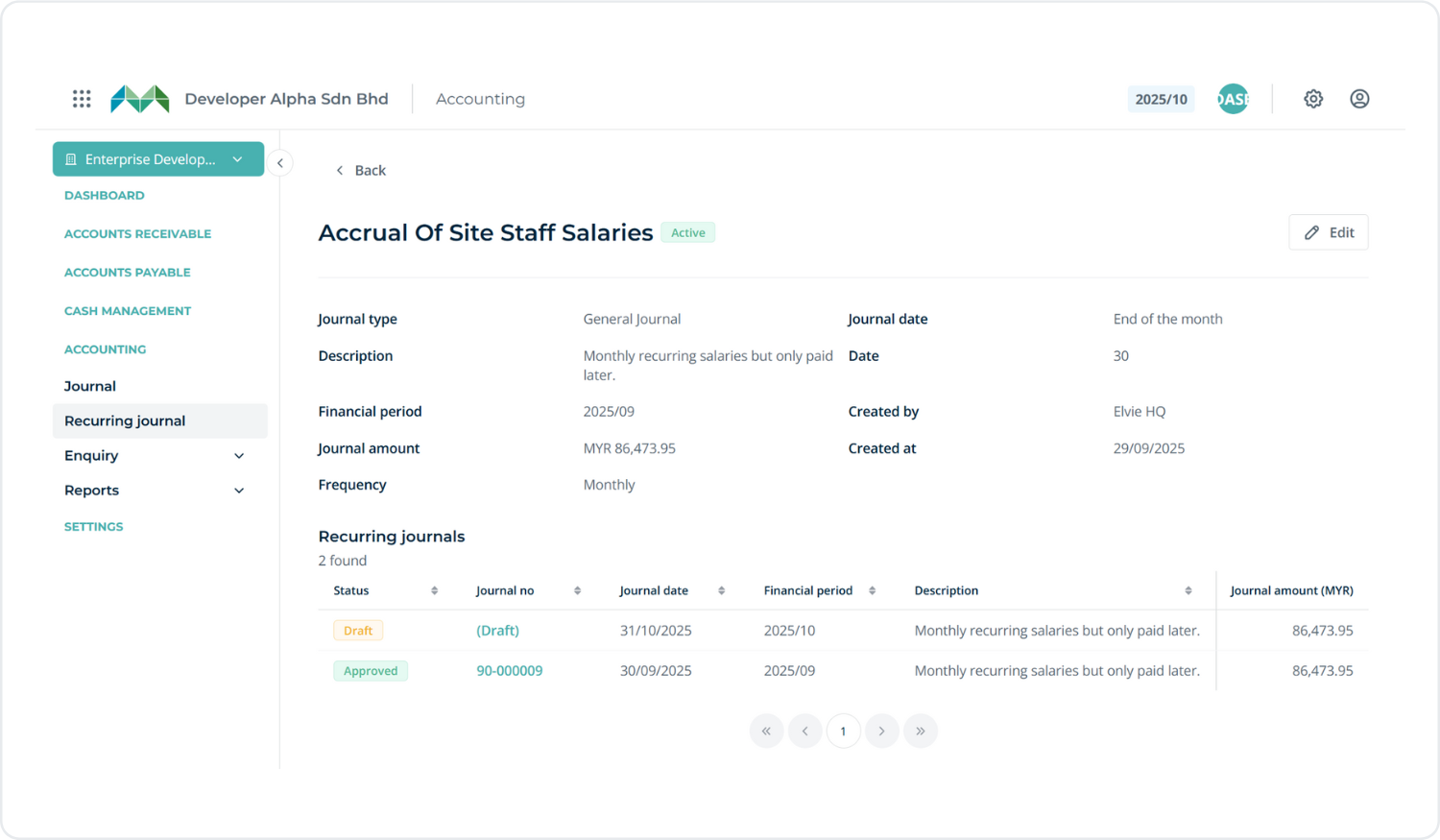
We’ve introduced comprehensive management of recurring journals with 3 new screens:
Listing page – View and manage all recurring journal templates
Detail page – See full setup and configuration for each template
New template creation – Create and configure new recurring journal templates
You can access this via:Accounting → Recurring Journal

.png)
You can create recurring journal templates with a defined schedule (e.g., monthly, quarterly or yearly) to automatically generate journal entries. This feature helps reduce manual work and ensures consistency in recurring transactions.
💰 AP Retention Sum
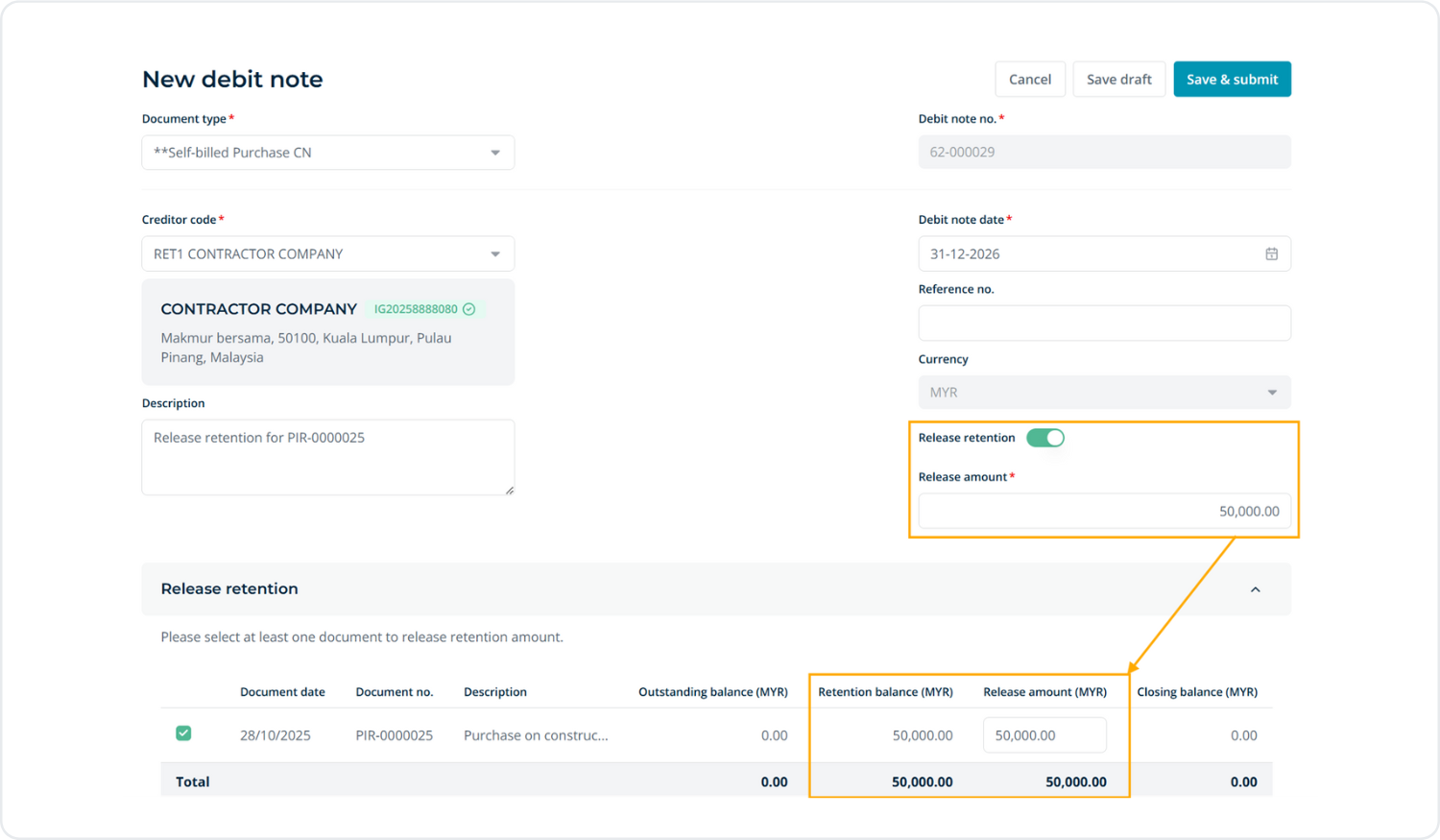
This feature enables withholding a percentage of payments until project completion.
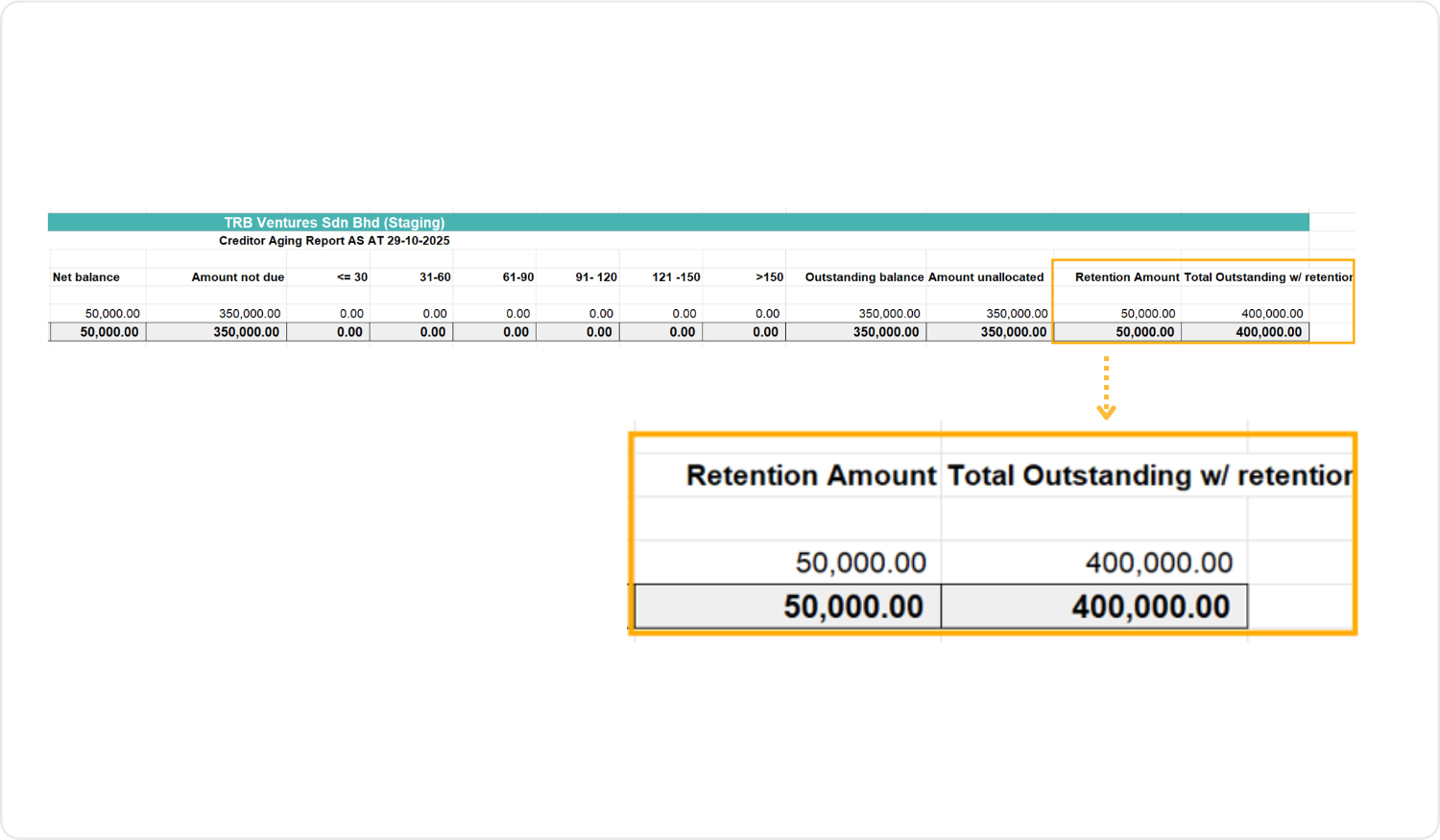
The release includes full retention handling from invoice posting through release via Debit Note, along with the addition of retention amounts in the Creditor Aging Report.Ensure that the account code for Retention is properly set up. The retention amount will be charged based on the creditor type.
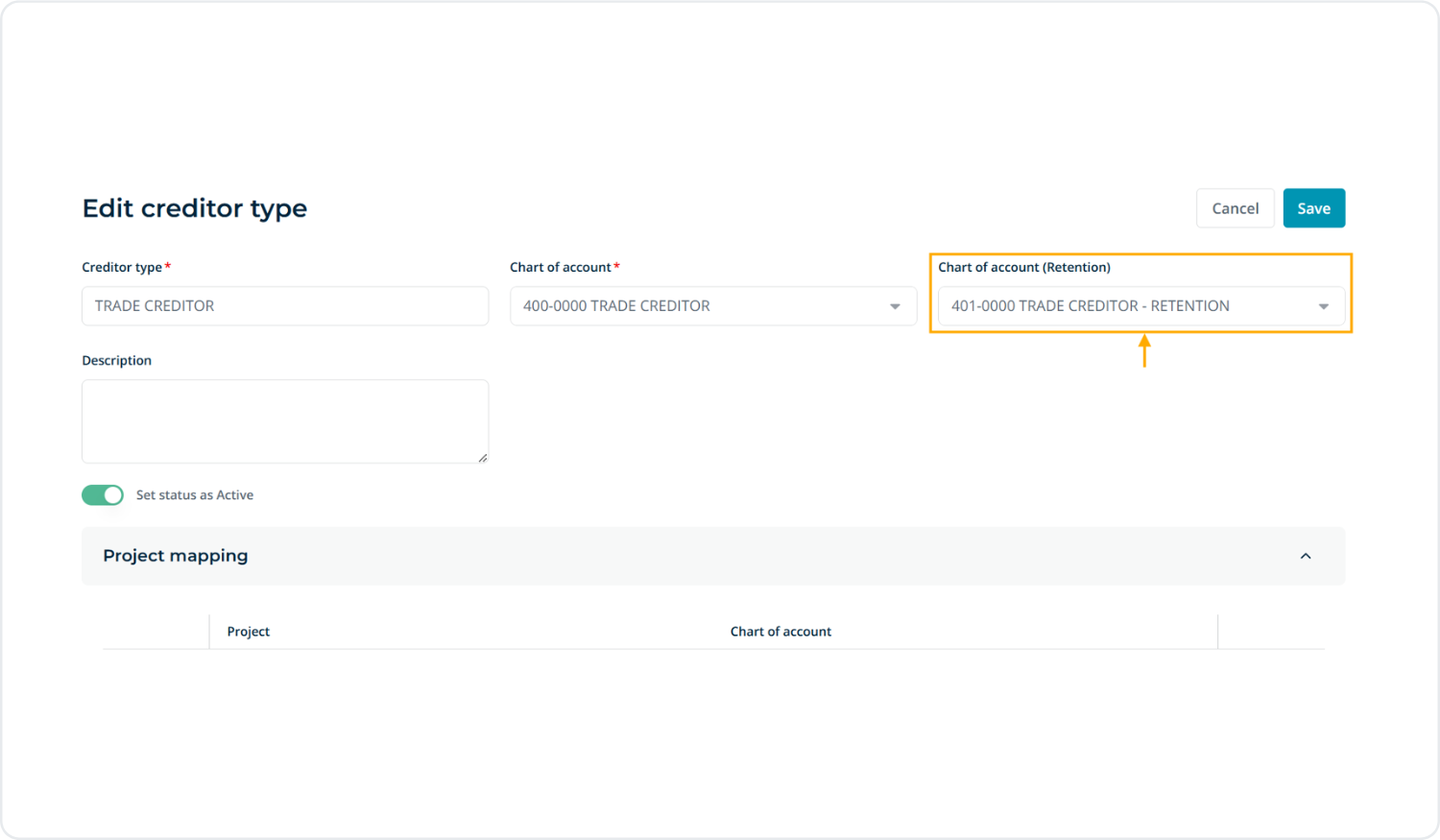

Depending on the creditor type, you can enable the “Subject to retention” option to specify the retention amount to be withheld. This amount will be excluded from the Net Payable of the invoice, while the e-Invoice will be submitted using the total invoice amount.

🧾 Compulsory Analysis Code
Introduced a compulsory setting for analysis codes based on the selected COA configured in this section.
When creating entries, the system will validate that the analysis code is entered only if the COA for the line item is defined in this setting.
This ensures data consistency and enforces accurate reporting by preventing incomplete or incorrect account allocations.

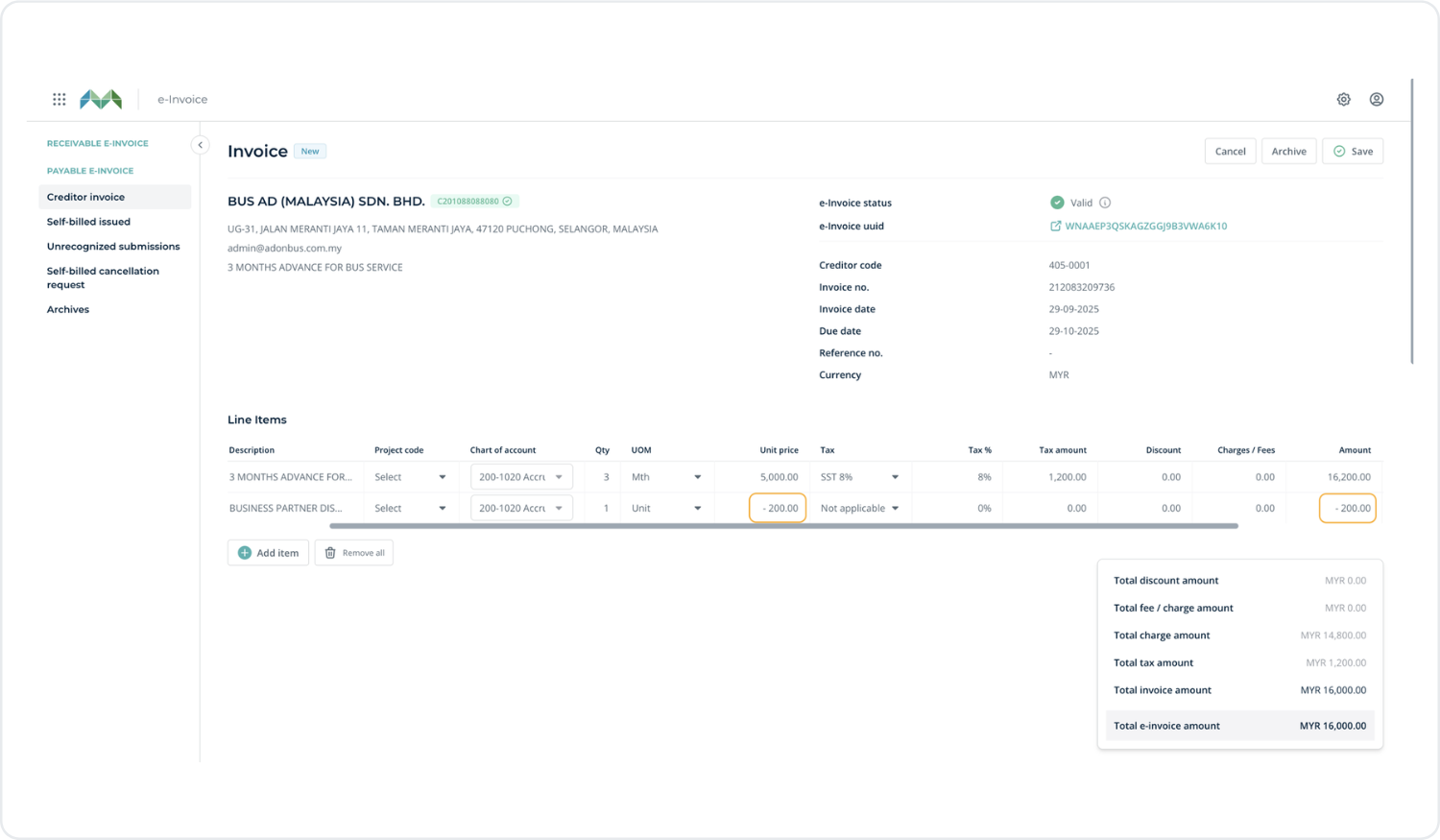
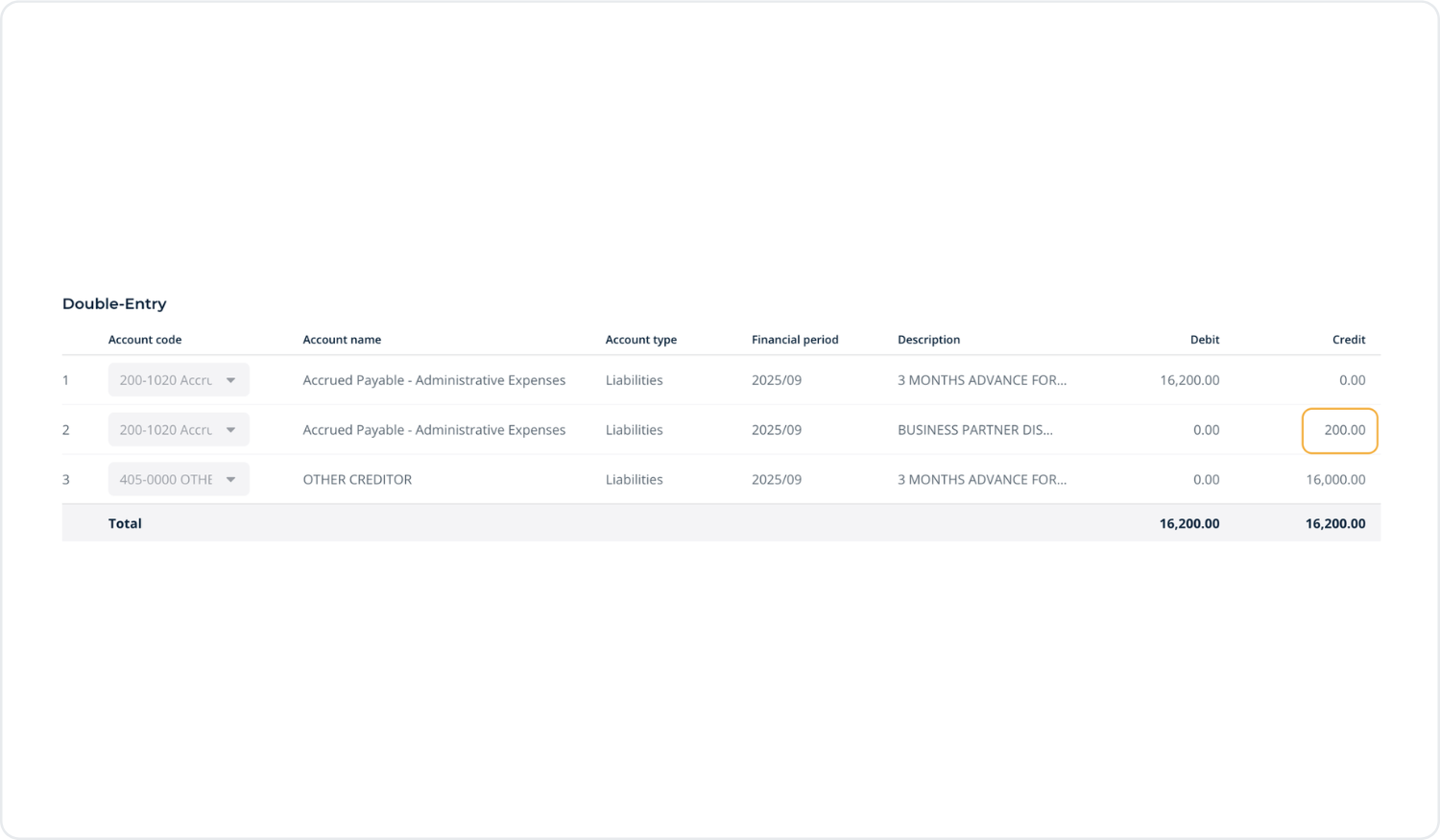
Support for Negative Line Item Amounts
This feature allows negative line item amounts to be entered, which are automatically posted to the opposite side in double-entry accounting. It is particularly useful for recording discounts, adjustments, or offsetting entries without the need to create separate documents.
.png)